For musicians, by musicians
Your song ideas.
All in one jar.
Capture your riff, add lyrics, chord progressions, and follow-up recordings — all in one place. No account needed. No cloud. Just you and your music.
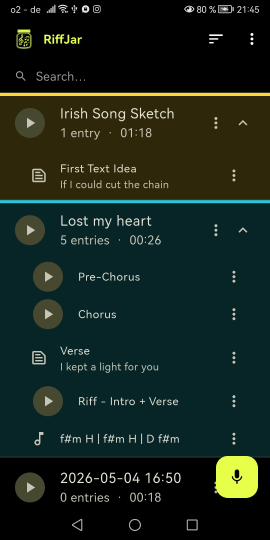
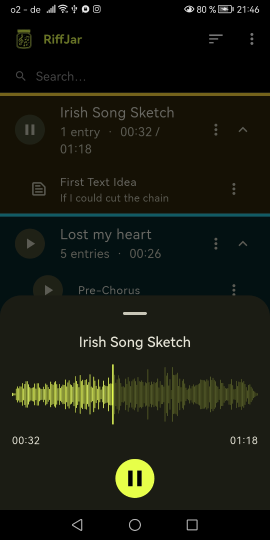
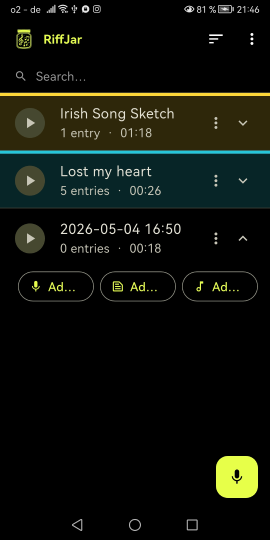
Capture your riff, add lyrics, chord progressions, and follow-up recordings — all in one place. No account needed. No cloud. Just you and your music.
You record a riff at 2am and can't find it a week later. It drowns in a sea of unnamed voice memos.
The chord progression is in one app, the lyrics in a note, the revised recording somewhere else entirely.
Which recording was the good one? "Guitar idea 4 final final v2" — every musician knows this feeling.
Features
RiffJar is built around one simple truth: a song idea is never just one file.
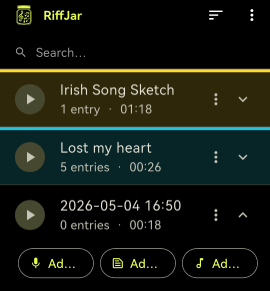
Start with a voice recording. Then add another take, throw in the chord progression, write down the lyrics that came to mind. Everything stays bundled together — not scattered across apps and folders.
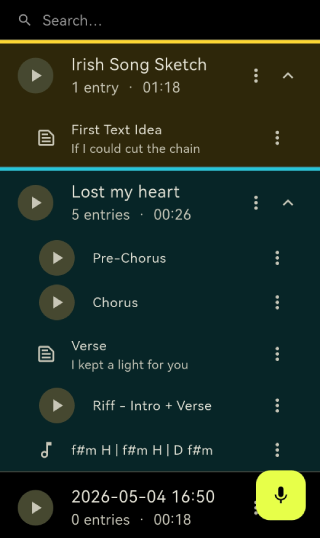
Write lyrics, notes, or anything that belongs to the idea directly inside it. No copy-pasting from another app.
Add chord progressions as their own entry type. Always right there when you pick up the guitar again.
How it works
No learning curve. Open the app and start recording.
Hit record. Your riff is saved immediately — no naming required to get started.
Attach lyrics, chords, or another take directly to the same idea. As many as you need.
Optionally tag ideas with a color to keep things organized at a glance.
Everything stays bundled. No endless lists. No confusion. Just your ideas, ready to go.
Organization
Optionally color-code your ideas to instantly recognize what's a quick sketch, a promising hook, or a near-finished song.
Privacy
RiffJar works entirely offline. No account. No cloud. Your recordings and notes never leave your device.
Free to download. Works offline. No strings attached.